Posted on Leave a comment

How Meditation Music Boosts your Immune System

Meditation Music has the magical effect of helping you relax from stress, it also helps your immune system by increasing alpha and theta brain wave activity, which is often when you are awake and resting and feeling very Generated when relaxing.

Meditation music is a track that uses “isochronic tones” combined with music. Isochronic tones are consistent, regular monophonic beats that are used to stimulate and affect your brainwave activity. This type of The brainwave stimulation is called “brain wave entrainment”. Music stimulates your brain with isochronous tones at specific frequencies associated with the immune system, such as 10.5Hz and 10Hz for alpha, and 7.83Hz (Schumann resonance – the pulse of the earth) and 6.5Hz for theta. The frequency cycle repeats as the track progresses, so the longer you listen, the more brainwave activity you generate in these frequency ranges.

To further stimulate your brainwaves, we apply amplitude modulation to meditation music and create soothing vibrations, which can then be synchronized with isochronous tones to improve your ability to focus, relax and enjoy deep sleep.

Meditation music is not only part of relaxation, but can be the key to improving the mind and body. When we are stressed, our mental state and body are affected, making us more susceptible to illness and infection. On the other hand, when we feel calm, relaxed, and stress-free, our bodies do their best work in natural healing. Meditation improves immune system function and positively affects immune cells, and more experienced meditators achieve a peaceful state of mind that is difficult to achieve. Meditation music guides you into a deeper and relaxed state of mind in an easier way, allowing you to reap the full benefits of rest and meditation.

How to listen to meditation music?

It’s always more beneficial to play meditation music in a peaceful setting where you can listen with your eyes closed and relax where you feel comfortable, especially within a scalar field. Adjust the volume to a level that is comfortable for you, it shouldn’t be too loud as it may damage your hearing or become too distracting. Headphones or earphones are not required, but you can still use them if you want.

In addition, introduce the FrequencyHeals.com website, which was founded by Spooky2 in 2012. It is a professional online healing frequency music library, featuring Spooky (Rife) therapy and high-quality sound effects to eliminate unnecessary pain without spending money. Sound therapy synchronizes brain waves to achieve a state of deep relaxation and helps restore the normal vibrational frequency of our body cells. Welcome to visit this website and learn more.

Finally, a brand new accessory for the Spooky2 Scalar Harmony, the Spooky2 Scalar Harmony introduces an innovative way to receive healing audio, which you can receive soothing musical tones and meditative beats through scalar energy.

Posted on Leave a comment

How to Use the Spooky2 Scalar Harmony?

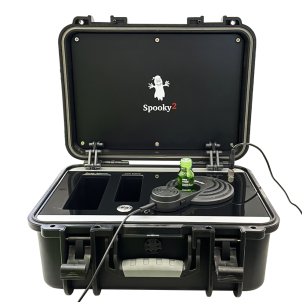
As a brand new accessory for the Spooky2 Scalar Harmony, the Spooky2 Scalar Harmony introduces an innovative way to receive healing audio. You can receive soothing musical tones and meditative beats through scalar energy. The benefits they can bring are as follows :
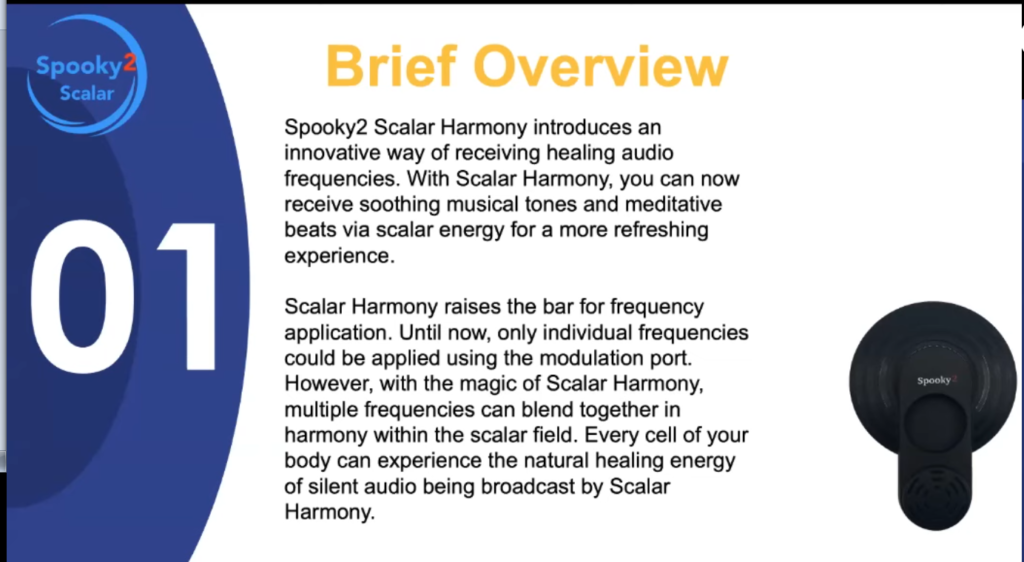
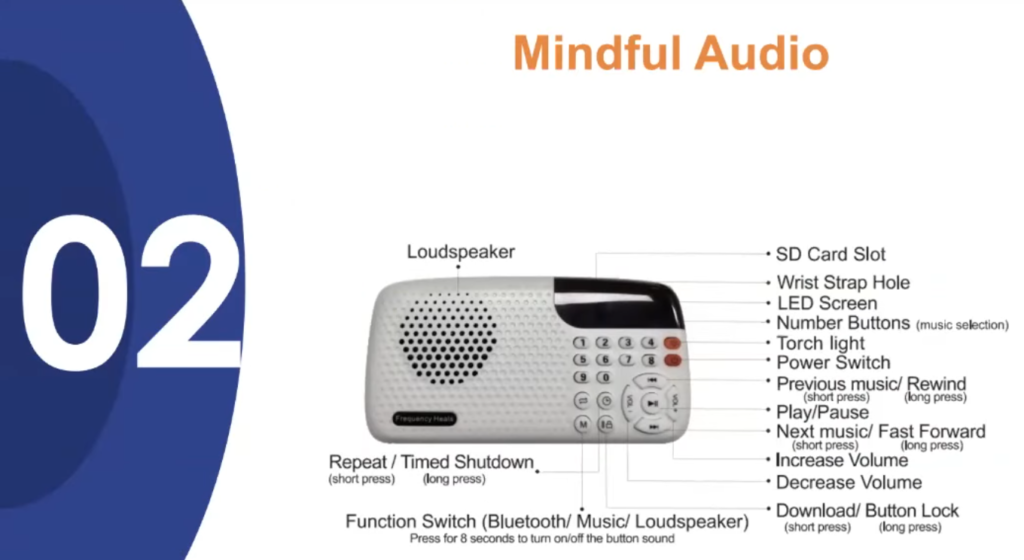
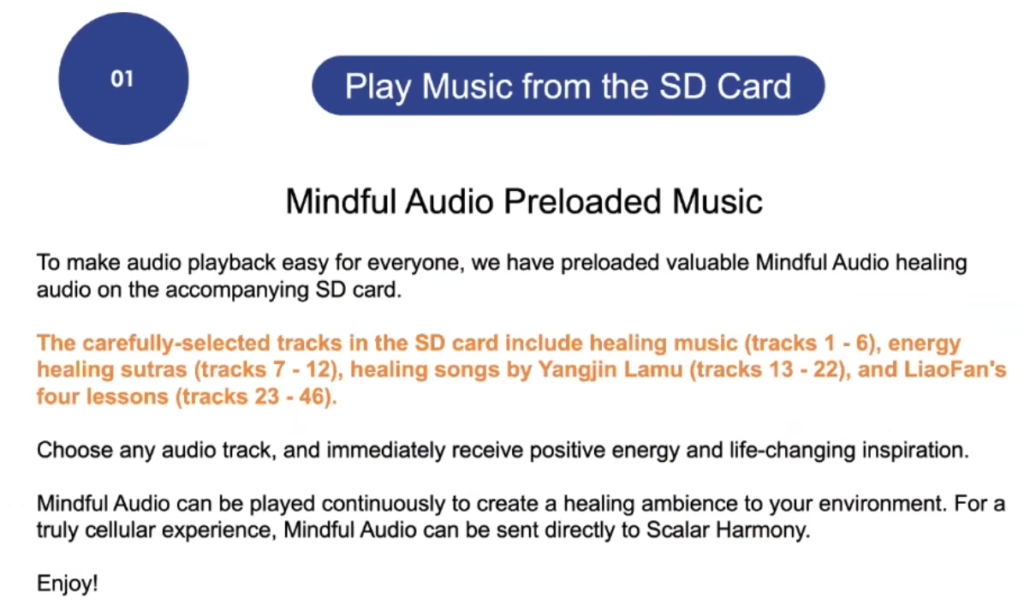
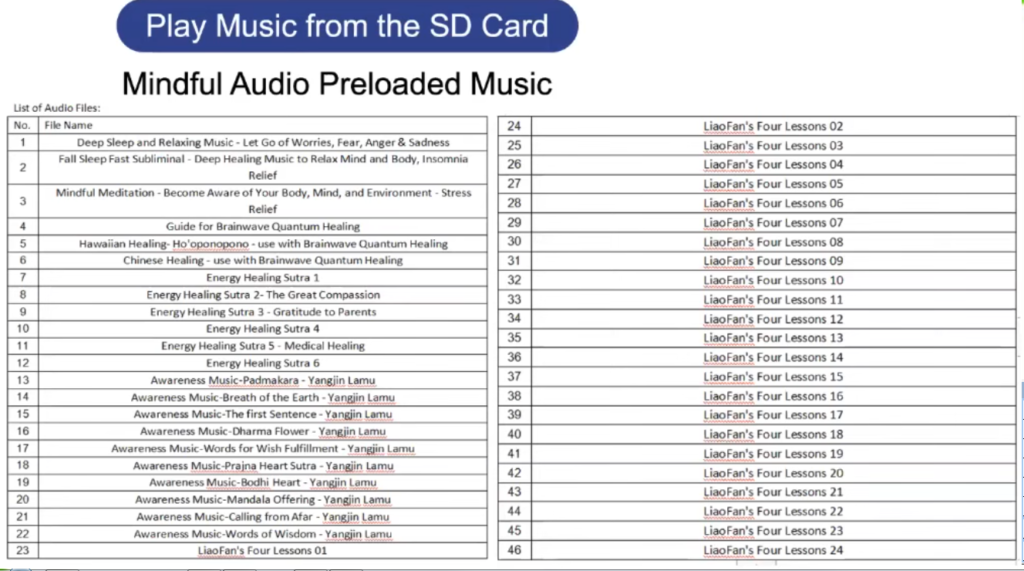
1. Mindful Audio – The Mindful Audio accessory contains a selection of carefully selected sacred and healing audio tracks that can be connected directly to the Scalar Harmony to provide cellular healing throughout your body.

2. Instrumental Audio – When playing instrumental music, every cell in your body receives a harmonious tone, and it is very beneficial to reduce stress, which is a precursor to many diseases. Instrumental audio can also improve concentration at work and play.

3. Solfeggio Audio – Solfeggio audio is sound frequencies that have been used for centuries, they include the ancient 6th scale used for sacred music, similar to beautiful soothing chants. You can play the solfeggio in sequence, i.e. 423Hz, 528Hz, or you can play instrumental music based on the solfeggio frequency. Both methods are ideal for whole body cleansing, cell regeneration, golden chakra healing, sleep meditation, and more.

4. Spooky2 (Rife) Treatment Frequency – The main purpose of Spooky2 (Rife) treatment frequency is to stimulate human brain waves or cells to improve physical and mental health, Spooky2 has the largest frequency database in the world, including many powerful and beneficial frequency sets, you Browse these frequency programs from the Frequency Heals website and play them through Scalar Harmony to help yourself, your family and pets.

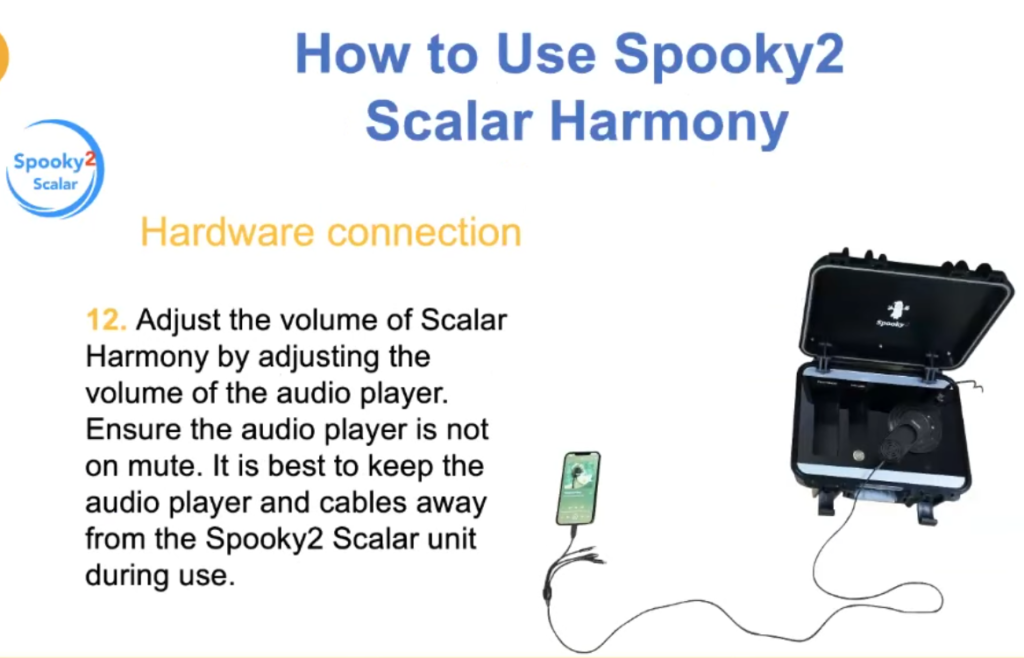
In additional, if you are an advanced Spooky2 scalar field user, you can combine molecular scalar energy with the Scalar Harmony, which has molecular modulation perfectly built into the handle, and you can place a glass with a few drops of essential oil in the picture below Where indicated, molecular scalar energy can further enhance the scalar signal by placing a substance on the input coil, the molecules in the sample will change the signal between the caps, and you can get the effect of the chemical, which can be an essential oil or a drug; For example, you can put peppermint oil on the receiving coil and you will reap the benefits that peppermint oil provides. Connect your Scalar Harmony to an audio source and receive healing energy from music and essential oils.

You can learn how to use Scalar Harmony from the following video :

Let’s relax and enjoy the power of Scalar Harmony, welcome to buy via this link -> “https://www.spooky2scalar.com/ref/58/“,

Posted on Leave a comment

New Spooky2 Product – Scalar Harmony Device

If you are a fan of healing music, you can now use the Spooky2 Scalar Harmony device, which converts audio into Scalar Energy and sends it out. It allows you to receive the soothing musical tones of the Spooky2 Scalar Field and meditate Beat the energy out for a more effective healing. The Spooky2 Scalar Harmony device raises the bar for frequency applications, allowing multiple sound frequencies to be harmoniously mixed together within a scalar field, rather than just outputting one single frequency, so that every cell in your body can better experience the scalar field harmonic audio, which the natural healing energy of the silent audio being played.

The benefits that scalar field audio harmony device includes:

  1. It introduces a new way of receiving music and healing tones.
  2. Enjoy the comfort and pleasure of music and audio, and the healing power of Spooky2 audio.
  3. Boost your energy levels and enhance your natural healing abilities.

During the promotion period of Spooky2 new products, from March 18th to April 30th (UTC+8), anyone who purchases a Scalar Field Audio Harmony device can get a Mindful Audio from FrequencyHeals for free (its original price is USD49). The photos below are for your reference. Welcome to purchase via the lnk -> “https://www.spooky2scalar.com/ref/58/“.

“.

Posted on Leave a comment

Youtube (Spooky2) Frequency Healing for Meningiomas

Meningiomas are the most common type of primary brain tumor, and while the tumor is usually benign, it can still grow large enough to be life-threatening. Meningiomas are most common in people over the age of 35, and women are more likely. People with a certain genetic disorder may also be more likely to develop a meningioma. Previous radiation or trauma to the head may also be associated with tumor development. Generally, most meningiomas are removed surgically. If the tumor cannot be effectively treated with surgery, radiation therapy may be an option.

Welcome to the following youtube frequency videos which will help relieve headaches, facial numbness, nausea and vomiting, it is recommended to listen to it at least 2-3 times a day, keep the moderate volume at a comfortable level to prevent any hearing damage, make sure you have enough lemons Water or purified water to flush toxins from your body.

Posted on Leave a comment

How to Create a Spooky2 Program

Follow the steps to create your own program and add it to your custom database.

step 1

Select File -> Create Program.

Step 2

It’s good to name your program something like “Cancer Throat Sweep XX” because it will show up when searching for “cancer”, “throat” and “sweep”.

Step 3 – Enter your frequency

Now let’s enter the frequency, eg: 20,180,200,300; you can also enter a very powerful command in this field along with your frequency, eg a list of commands: xxx-yyy (frequency sweep) – this is where you enter a sweep between two frequencies way – xxx for one frequency and yyy for another, if you want to scan in ascending order, enter the lower frequency first, then the hyphen (scan command), then the higher frequency, example: 100-200

For downward sweep, enter the higher frequency first, then the hyphen, then the lower frequency, example: 200-100

=xxx (custom dwell), for any frequency you can specify a different dwell time than the default you want to apply to the rest of the frequencies, just type the equal sign (dwell command) followed by the dwell time in seconds , example: 200=600

Wx (Waveform): After the frequency you want to use a different waveform, just type W followed by the waveform number as shown in the table below; eg: you want frequency 10 to use a square wave, 10 W2.

Gx (Gate): After the target frequency or command, type G followed by 1 to turn the gate on, G followed by 0 to turn it off, example: G1, G0

Ax (Amplitude Amplitude): After your target frequency or command, type A followed by the voltage you wish to use, example: A05

Ox (Offset Offset): After your target, for positive offset types, a capital O followed by the desired value as a percentage of amplitude instead of voltage. Lowercase o for negative offset types. Example: O00 if 0% offset is required. o20 if a -20% offset is required.

Px (Phase Angle): After your target, type P followed by the desired value.

Lx (Light Wavelength): Spooky2 allows you to directly input the light wavelength. Enter L followed by your wavelength in nanometers (nm). Spooky2 will automatically convert it to the highest harmonic frequency your generator is set to transmit. CL can be used as a constant for Out 2.

Fx (Factor): Specify your desired value for the frequency factor of Out 2.

Cx (Constant): This is the value of the frequency constant for Out 2.

Mx (MW Factor MW Factor): Insert M before molecular weight/molar mass to convert to frequency.

Bx (Base Pairs Factor): Insert a B before the base pair entry to convert to frequency.

Example: You have six frequencies – 100, 200, 300, 400, 450 and 600. You want 100 and 200 transmissions to have a default dwell time of 3 minutes, and 300 transmissions of 10 minutes, all using a square wave with an amplitude of 9 volts and an offset of 0. The frequency is: 100 W2 A09 O00, 200, 300=600.

Also, you want 400 to sweep to 450 with a sine wave in 30 minutes. The frequency is: 400-450=1800 W1.

Finally, you want the 600 again to use a square wave as the default dwell. You also need an amplitude of 5 volts and a positive offset of 2.5 volts (ie 50% of the amplitude). The frequency is: 600 W2 A05 O50.

Step 4 Dwell time.

This is the amount of time (in seconds) that you want to transmit each frequency in the group. If you’re not sure what this should be, 180 seconds is a good default. Note that you can specify a single frequency deviation from this default by entering a simple command.

Step 5 Program Description

You can add comments that will be included in the search and displayed in the Program Description pane. Don’t worry if you get a text error when entering a collection, you can edit it later by selecting the Edit Custom Database command from the Database menu. You also have the option to manually open your custom file in Notepad and edit it there. Then you can save your program. After the Spooky2 database reloads, you will see your new program.

Welcome to watch the following youtube video demonstration ->